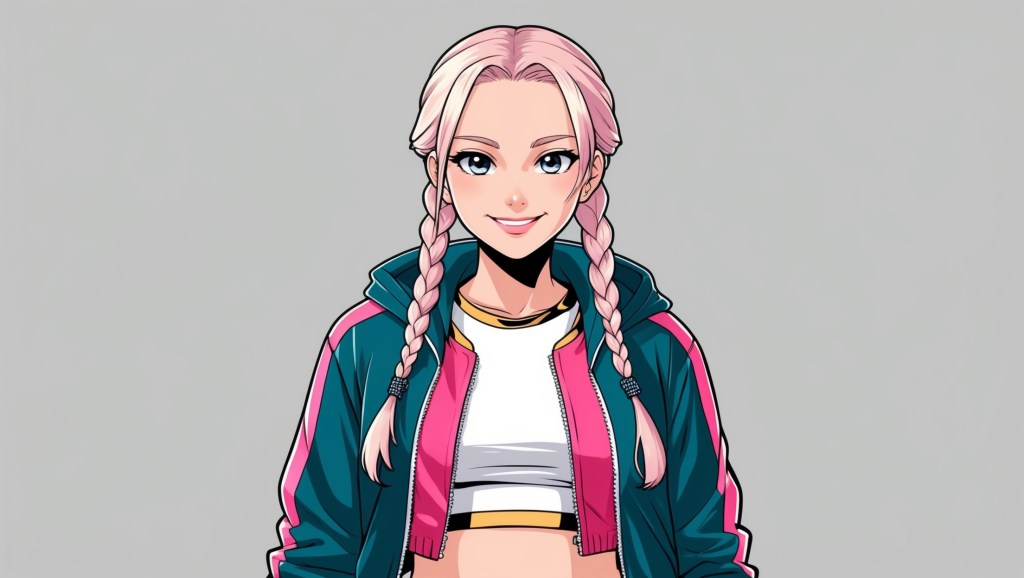
When you first step into the VTubing world, the temptation is real: throw in all your favorite colors, patterns, and accessories into your avatar design and hope for the best. But if you’ve ever looked at a VTuber whose design just “clicks”, clean, memorable, and instantly recognizable, there’s a good chance color blocking played a part.
Color blocking isn’t just a fashion trend from the ‘80s or a quirk of modern art. In VTubing, it’s a design technique that helps your avatar look cohesive, balanced, and unmistakably you, even in a sea of other streamers. And the best part? You don’t need to be a professional artist to use it.
Let’s break down what color blocking means, why it’s so powerful for VTuber avatars, and how you can use it to craft a visually balanced design that sticks in viewers’ minds.
What Is Color Blocking?
At its core, color blocking is the art of using solid, clearly defined areas of color to create both visual harmony and separation within a design. It’s like giving each part of your avatar its color territory, so the viewer’s eye instantly understands where one section ends and another begins. This keeps your design from turning into a chaotic mash of shades, and instead gives it a strong, memorable identity.
For example:
- Hair could have a dominant deep blue base with lighter, icy tips.
- The outfit might stick to a bold white-and-gold combination for a regal feel.
- Accessories can pop with a complementary accent color, such as a vibrant red.
The key is deliberate separation; every block of color should stand out on its own, yet still feel like it belongs to the same cohesive family. When done well, color blocking makes your avatar instantly recognizable, even in a crowded stream thumbnail or a busy background.
Why Color Blocking Works So Well in VTuber Designs?
Color blocking isn’t just about looking “pretty.” It’s a functional design tool in VTubing for a few reasons:
1. Instant Readability
When viewers see your avatar, whether in a thumbnail, a chat overlay, or mid-stream, they should recognize you in seconds. Clear color blocks make your design legible even at small sizes.
2. Brand Memory
Strong, distinct color areas are easier for people to remember. Think about Iron Man’s red-and-gold suit or Hatsune Miku’s teal pigtails. That’s color blocking in action.
3. Visual Balance
In art and character design, visual balance means no one part of the design overwhelms the rest. Color blocking helps spread focus evenly so the viewer’s eyes travel comfortably across the avatar.
4. Clarity in Motion
VTubing involves movement, head tilts, arm gestures, blinking, lip sync. A cluttered color palette can become a blur when animated. Solid blocks keep your look sharp even in motion.
The Foundations of Color Blocking for VTubers
If you’ve never worked with color theory, don’t worry, we’re keeping this simple and practical.
1. Pick a Core Palette
Limit yourself to three main colors:
- Primary color – your main identity shade (covers 50–60% of the design).
- Secondary color – supports the primary without overpowering it (30–40%).
- Accent color – the pop that catches the eye (5–10%).
💡 Example:
Primary: Soft lavender (hair, dress base)
Secondary: Charcoal gray (boots, gloves)
Accent: Gold (earrings, buttons, belt trim)
2. Divide by Design Zones
Think of your avatar in zones: hair, upper outfit, lower outfit, accessories. Assign each zone a main color, keeping the “block” visible and separate.
💡 Example for a cyberpunk VTuber:
- Hair: Electric teal block with neon pink tips.
- Jacket: Deep navy.
- Pants: Matte black.
- Gadgets/accessories: Bright silver highlights.
3. Balance Warm and Cool Colors
Too many warm colors (reds, oranges, yellows) can feel aggressive; too many cool colors (blues, greens, purples) can feel distant. The sweet spot is mixing one family with touches from the other for contrast.
4. Use Neutrals as Rest Points
If your design has intense colors, insert neutral blocks (white, black, gray, beige) to give the eye a break. This keeps your look from being overwhelming.
Advanced Color Blocking Techniques for VTuber Avatars
Once you’ve got the basics down, you can push color blocking further to make your design stand out.
1. Gradient Blocks
Color blocking doesn’t mean no gradients, it means gradients should be contained. For instance, your hair might fade from navy to sky blue, but the outfit stays solid black and gold.
2. Asymmetrical Blocking
Not every block has to mirror the other side. A sleeve in a different color or one boot in a standout shade can make your design memorable while keeping the rest balanced.
3. Seasonal or Event Variations
Many VTubers adapt their avatars for holidays or collabs. If your base design uses color blocking, swapping just one block (e.g., changing your secondary color from purple to red for Valentine’s Day) keeps you consistent while staying festive.
4. Accessory Pop Zones
Accessories are perfect for controlled color experiments. A scarf, headset, or necklace can carry your accent color without disrupting the main design.
Common Color Blocking Mistakes in VTubing
Even with the best intentions, it’s easy to overcomplicate things. Here’s what to avoid:
- Too Many Colors – More than 4–5 core shades can make your avatar noisy and hard to read.
- Poor Contrast – If your blocks are too similar in tone, they’ll blend together instead of standing apart.
- Ignoring Lighting – Colors look different under varying stream backgrounds; test your avatar against dark and light scenes.
- Unbalanced Placement – If one bright block is too large, it will dominate the whole design.
How Color Blocking Improves Your VTuber Brand?
Your VTuber avatar isn’t just your on-stream face, it’s your brand anchor. Color blocking helps in three key branding areas:
- Merchandising: Fans can spot your merch instantly if it uses your signature blocks.
- Thumbnail Recognition: Consistent colors make your YouTube/Twitch thumbnails instantly recognizable.
- Cross-Platform Consistency: Your social banners, profile pictures, and emotes all tie back to the same palette.
When fans associate you with a strong color scheme, they’re more likely to remember you, share your content, and spot you in crowded feeds.
Practical Steps to Apply Color Blocking to Your Avatar
If you’re designing (or redesigning) your VTuber avatar, here’s a process to follow:
- Audit Your Current Design
Take a screenshot of your avatar, reduce it to a small thumbnail size, and check: can you clearly see distinct color areas? If it’s muddy, you need stronger blocking. You can use free tools like Canva, Photopea, or even a quick export in VTube Studio to test how your colors hold up at different sizes. Zooming way out will reveal if your blocks are readable or just blend.
- Define Your Brand Color
Pick your 3 main colors based on the mood you want to convey (warm and approachable, cool and mysterious, energetic and playful, etc.). Tools like Coolors, Adobe Color Wheel, or Paletton can help you explore harmonious palettes before finalizing your choice. Always test your colors in both light and dark mode to ensure they stay consistent.
- Assign Zones Deliberately
Decide which parts of your avatar will carry each color. Avoid overlapping zones unless for accessories. You can sketch a quick “color zone map” in Figma or Procreate to visualize the separation before committing to the final design. This step saves time and ensures the end result is intentional, not accidental.
- Test on Stream Backgrounds
Place your design against dark, light, and busy backdrops. Adjust saturation and brightness until your blocks remain readable. In VTube Studio, you can quickly swap in different overlays or game scenes to see how your avatar’s colors perform. This is especially important if you use reactive backgrounds or switch between various content styles.
- Get Feedback from Others
Show your design to friends or your community without explaining it. Ask what stands out most, if it matches your intent, you’re on the right track. You can also post blurred or reduced-size versions on social media and see if followers still recognize you. Constructive feedback early saves you from costly design overhauls later.
- Work with Skilled Avatar Creators
If you’re commissioning a model, share your color blocking plan with your artist from the start. Platforms like VTubers.com connect you with creators who understand not just how to make an avatar look pretty, but how to make it visually cohesive and brand-ready. A good artist will know how to distribute their colors so they look consistent in every pose and lighting setup.
Examples from Successful VTubers
- Shirakami Fubuki – White hair block, black outfit block, green accent. Recognizable even in silhouette.
- Kizuna AI – Pink hair accents blocked against white and black outfit zones.
- Ironmouse – Strong magenta block in hair with contrasting black/pink clothing zones.
Notice how these designs don’t overwhelm you with too many colors, yet feel distinct and lively.
Final Thoughts
Color blocking is one of those “invisible” skills in VTuber design; when done right, most viewers won’t even notice it. But they will remember you. They’ll remember your color palette, your visual balance, and the way your avatar looks clean and sharp, no matter the context. Whether you’re commissioning a new model or tweaking your current one, think of your avatar as a map. Decide where each color lives, give it space to breathe, and let those blocks work for your brand. In a space as competitive as VTubing, where thousands of avatars flash by in every viewer’s feed, that kind of visual clarity isn’t just good design, it’s survival.


 VtuberLab
Leave a reply to Sonder Cancel reply