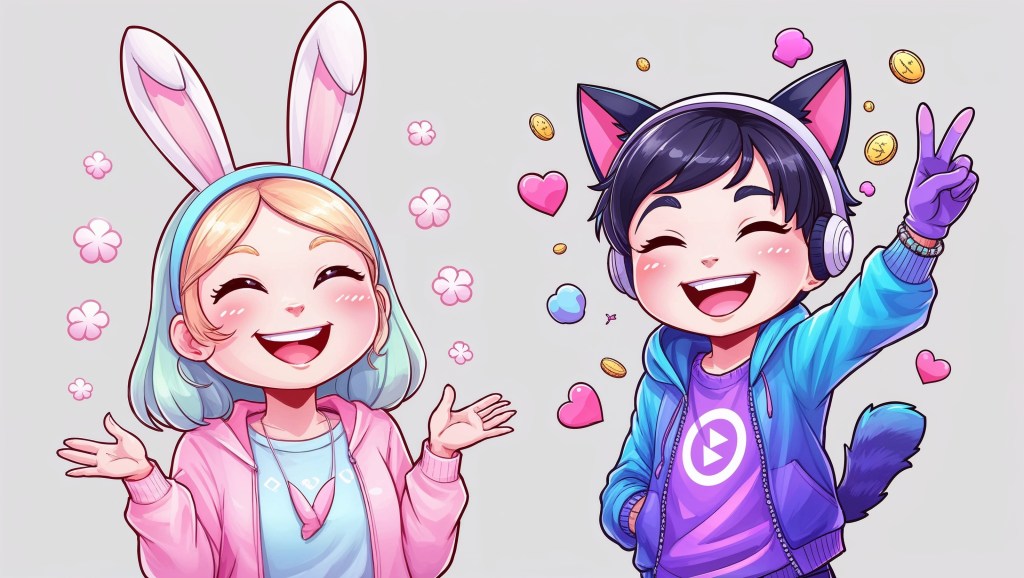
Because every alert should scream “you.” Let’s face it, streaming isn’t just about turning on your camera and talking to chat anymore. Especially in the world of VTubing, where every detail, from your 2D or 3D VTuber avatar to your background music, helps shape your digital identity. And right in the middle of that creative chaos? Your stream alerts.
From someone subscribing for the first time to a donation that makes your jaw drop, alerts are the spark that keeps your community engaged and energized. But here’s the catch: if your alerts feel out of place with your avatar’s vibe, they’ll stick out in all the wrong ways.
In this beginner’s guide, we’ll explore how to design stream alerts that match your VTuber model, aesthetic, and stream identity. Whether you’re going for cozy cottagecore or cyberpunk hacker catgirl, we’ve got you.
Why Matching Stream Alerts Matter for VTubers?
VTubers are digital storytellers. Your avatar, your lore, your stream overlay, they all paint a picture of who you are. But imagine this: You’ve got a soft, pastel fairy girl avatar with floral overlays, and then a blaring dubstep alert with neon green flames pops up when someone subscribes. It’s jarring, right?
Matching your stream alerts to your brand:
- Enhances immersion
- Increases viewer retention
- Builds emotional consistency across your stream
- Shows professionalism, even if you’re just starting out
Viewers are more likely to stick around when every element feels intentional and unified. It’s not just about “looking nice.” It’s about cohesion, and cohesion builds trust, loyalty, and ultimately, a stronger community.
How to Design Stream Alerts That Match Your VTuber Brand?
Your alerts shouldn’t feel like an afterthought; they should feel like an extension of your avatar.
Step 1: Define Your VTuber’s Visual Aesthetic
Before diving into design tools and audio files, take a moment to get clear on your VTuber brand.
Ask yourself:
- What’s my VTuber persona? (Cute, cool, chaotic, elegant, mysterious?)
- What colors dominate my stream overlay and avatar?
- Is my vibe more retro, futuristic, cozy, edgy, fantasy, or something else?
- Do I use a 2D avatar or a 3D VTuber avatar?
Your answers should guide every design decision from this point forward. For example:
- A retro arcade VTuber might want pixel art alerts with 8-bit sound effects.
- A dark-themed demon prince avatar could rock glitchy animations with low bass rumble alert sounds.
- A cozy forest sprite? Gentle sparkles, soft chimes, and handwritten-style font.
Pro Tip: Create a quick mood board or Pinterest collection. This will help you (or your designer) visually sync everything from alerts to overlays.
Step 2: Choose the Right Alert Types
When we say “stream alerts,” we don’t just mean one box that pops up on screen. You can create different alerts for:
- Followers
- Subscribers
- Donations
- Cheers / Bits
- Raiders
- Gifted Subs
- Hosts
- Merch Purchases (if integrated)
Each alert should feel like a mini celebration—unique but consistent.
Keep in mind:
- Keep it short: Alerts should be brief (5-8 seconds max).
- Don’t overcrowd: Too much animation or flashing can distract or annoy viewers.
- Prioritize clarity: Text should be legible even at smaller screen sizes.
If you’re using Twitch, make sure the alerts work with your Twitch overlay and OBS layout. You don’t want overlapping elements during hype moments!
Step 3: Match Your Stream Alert Sounds
This is a detail that often gets overlooked, but it can make or break the feel of your alerts.
Here’s what to consider:
- Match the vibe. Soft aesthetic? Use gentle chimes. Futuristic hacker catboy? Add a glitchy ping.
- Avoid default sounds. The stock alerts from platforms like Streamlabs or StreamElements are overused. Find your own.
- Think of volume. Stream alert sounds should be noticeable, but not overpower your voice or background music.
- Test live. Always preview your audio on an actual stream setup—what sounds okay in your headphones might be too loud for viewers.
Where to Find Custom Alert Sounds?
- Freesound.org (Creative Commons—double check licensing!)
- Soundly or Epidemic Sound (paid libraries)
- Fiverr or Ko-fi commissions
- VTuber asset shops on Booth or Gumroad
Step 4: Tools to Build Your VTuber Alerts
You don’t have to be a motion designer to create awesome alerts. Here are beginner-friendly tools you can start with:
✅ Canva (for static alerts)
Simple drag-and-drop. Great for non-animated designs.
✅ Streamlabs / StreamElements
Built-in alert editors. Supports images, GIFs, and audio. Free and cloud-based.
✅ Nerd or Die / Own3D / Visuals by Impulse
Premade alert packages and themes—some even include VTuber-focused designs.
✅ After Effects / Adobe Animate (for advanced users)
Want fully custom animations? These tools are powerful (but come with a learning curve).
✅ VTube Studio + OBS (for VTuber-specific setups)
If you’re using VTube Studio, make sure your alert placement doesn’t block your avatar’s tracking zone. Position alerts thoughtfully in your VTuber OBS setup.
Step 5: Keep It Personal
If you’re just using generic “Thanks for following!” text, you’re missing a huge opportunity to show personality.
Here’s how to add flavor:
- Use custom messages:
→ “Welcome to the Void, mortal. Thanks for the follow.”
→ “You just fed the gremlin fund with that dono!” - Add in-jokes or community references.
- Include emotes or visuals that match your lore or fan symbols.
This small touch makes viewers feel part of your world.
Step 6: Test and Refine
Don’t just set and forget.
- Test alerts live with a test account or through preview mode on Streamlabs/StreamElements.
- Check if they interrupt your avatar animations or chat layout.
- Adjust sound timing if it cuts off or overlaps with your voice.
- Ask your viewers! Many love giving feedback, especially on design changes.
Remember: your stream evolves, and so should your alerts.
Need a Matching Avatar First?
Before you can design stream alerts that match your vibe, you need to have a vibe. If you’re still figuring out your look or don’t have the budget for a custom rig yet, check out TheVTubers..
They offer a wide range of:
- Ready-to-use 3D VTuber avatars
- Affordable pre-made models with different aesthetics (cute, dark, fantasy, techy, etc.)
- Commercial-use friendly designs for streamers and content creators
This can be a great way to start VTubing without breaking the bank, and once you’ve picked an avatar from TheVTubers.com, you’ll already have a visual style to base your stream overlay and alert designs on. Whether your model is a pastel soft-girl or edgy cyberpunk, your alerts should feel like an extension of that character, and platforms like TheVTubers. make it easy to start with something that already has a personality.
You don’t need to commission everything from scratch. Sometimes, the smartest move as a new VTuber is using high-quality, accessible assets, and TheVTubers.com hits that sweet spot.
Bundle Your Alerts with a Matching Overlay
A common beginner mistake? Alerts and overlays that look like they’re from two different planets. Design (or commission) a stream overlay and alert package together. This could include:
- Matching borders
- Font consistency
- Color palettes
- Animation styles
You don’t need to be a pro designer for this, just be intentional. Many VTuber asset creators offer matching sets on sites like:
- Booth.pm
- Gumroad
- Ko-fi shops
- Etsy (for digital downloads)
Need Inspiration?
Here are some VTubers (rising and relevant in 2024–2025) who’ve nailed their alert game in ways that blend seamlessly with their overall aesthetic:
- Filian – Known for her high-energy streams and full-body tracking chaos, her alerts are just as wild—colorful, bouncy, and timed with her comedic timing. They blend slapstick energy with meme-worthy flair.
- Okcode – A Korean tech-themed VTuber with a clean, futuristic visual identity. His alert system utilizes minimalist sounds and sleek, glitch-style visuals that blend seamlessly into a cyber UI.
- Ayuucat – Her cozy, cat-themed alerts use bell-like chimes and hand-drawn animation loops that feel soft, warm, and personal—just like her content.
- RPR (now VTubing) – Former pro Apex player turned VTuber. His alerts mix esports energy with animated anime-style overlays—perfect for fast-paced gameplay while staying brand-consistent.
- Geega – Her alerts feature short, clever sound clips and dark visuals that match her deadpan humor and gothic design style. Nothing overdone—just sharp, well-timed identity cues.
Study your favorite VTubers’ alert systems. Notice what works. And more importantly, what doesn’t.
Final Thoughts
Designing your VTuber stream alerts is like choosing your outfit for a first date with your audience. You want to look good, feel confident, and leave a memorable impression. The good news? You don’t need an expensive setup to make it happen. Just a bit of planning, some tools, and a sprinkle of creative magic. So whether you’re rocking a 2D avatar, a high-detail 3D VTuber model, or even just starting your VTuber stream setup, don’t underestimate the power of a well-designed alert. It’s not just a notification, it’s a moment. And in VTubing, moments build communities.


 VtuberLab
Leave a reply to Cristiline Cancel reply