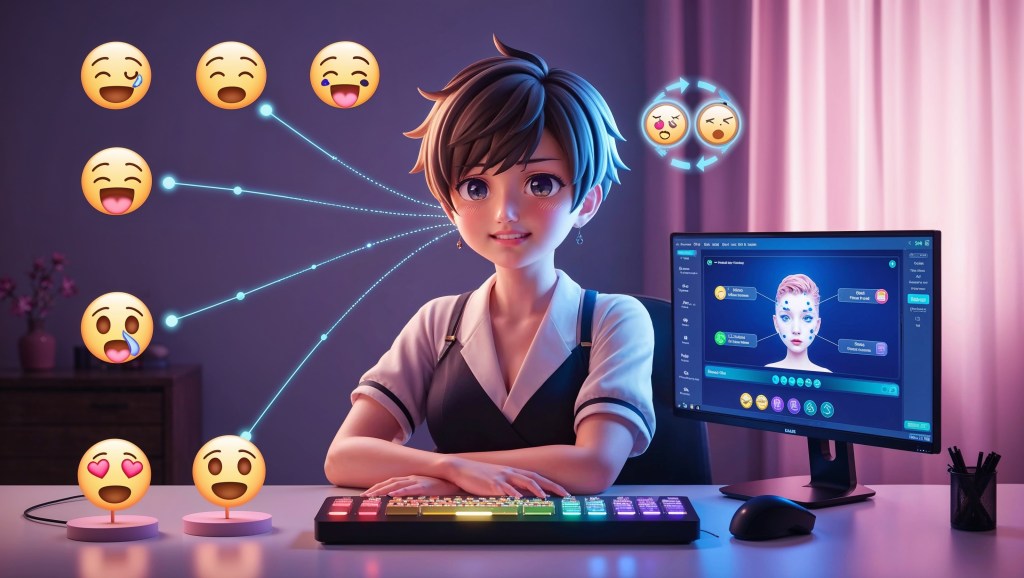
In a world where your face is a drawing and your feelings are triggered by tech, expressing emotions as a VTuber is a performance art backed by serious precision. Whether you’re roleplaying, reacting to a chat moment, or delivering a punchline, your ability to instantly shift your VTuber expressions can make or break the energy of your stream. So how do top VTubers pull off those quick mood switches, from smug to shocked to sobbing, in a blink?
The secret lies in mastering emotional switching, powered by face tracking, expression hotkeys, and smart VTuber controller setups. In this guide, we’re diving deep into the tools and tactics you need to become a real-time emotion-switching pro on stream.
Why Emotional Switching Matters for VTubers?
VTubing is a hybrid of performance, tech, and storytelling. Your VTuber avatar might be static art, but the real magic happens when that art reacts, in real-time, to your voice, gameplay, or the chaos happening in chat.
An expressive avatar keeps your audience hooked. It humanizes your character, strengthens your branding, and makes your content infinitely more shareable.
Think about it:
- A flat face during a clutch win? Wasted moment.
- A delayed reaction to a donation jump scare? Missed connection.
- A stream where your avatar always looks neutral? Risk of audience drop-off.
Instant emotional switching lets you live inside your character and keep your stream visually alive, even when you’re just chatting.
The Foundation: VTuber Face Tracking 101
To express emotion, your VTuber model needs to respond to your face. That’s where face tracking for VTubers comes in. There are three main methods of face tracking:
1. Webcam Face Tracking (2D & Basic 3D Models)
Most popular among Live2D VTubers. Tools like VTube Studio use your webcam to track:
- Eye movement
- Mouth shape (lip sync)
- Eyebrow raise
- Head tilt and rotation
This gives you a range of expressions, often combined with hotkey toggles for more dramatic moods (like crying or laughing).
2. iPhone Face Tracking (ARKit)
Used for highly expressive 3D avatars. If your VTuber model is iPhone-ready (ARKit-compatible), you can use apps like VSeeFace, Animaze, or VTube Studio (iOS) to unlock dozens of facial blendshapes, including:
- Cheek puff
- Tongue out
- Eyebrow quirks
- Eye squints
- Smile intensity
It’s accurate, fast, and ideal for streamers who want to react naturally without relying heavily on hotkeys.
3. Blendshape or Parameter-Based Tracking
If you’re using a 3D model created in Unity or Blender, or working with VRM/VRoid-based avatars, your rig may include blendshapes that let you customize how the face deforms with certain emotional states.
These blendshapes can be mapped to:
- Real-time face tracking inputs
- Manual hotkeys
- Custom animation triggers
Not All Feelings Are Tracked, Use Expression Hotkeys
Even the best face tracking systems won’t capture every exaggerated anime emotion (think sparkling eyes of justice or comedic anger veins). That’s where expression hotkeys come in.
What Are Expression Hotkeys?
Expression hotkeys let you manually trigger facial expressions or animations at will, often layered on top of your natural tracking. You can:
- Change your eye shape
- Open your mouth wide for a cartoon scream
- Trigger tears, blush, or visual overlays like “rage flames”
This allows you to go beyond realism into the stylized world VTubing is known for.
Examples of Emotional Switches via Hotkeys:
| Emotion | Triggered Action | Common Label |
| Shock | Eyes wide, mouth open | !shock |
| Smug | Raised eyebrow, side smile | !smug |
| Crying | Tear animation, eye squint | !cry |
| Angry | Furrowed brow, red overlay | !rage |
| Happy | Wide smile, eyes closed | !happy |
| Embarrassed | Blush layer, sweat drop | !blush |
Hotkeys let you amplify the moment—even if your face is calm IRL.
Setting Up a VTuber Controller for Emotions
Typing commands in chat or mashing keyboard hotkeys can break your flow. Instead, many VTubers use controller assets for smoother emotional switching.
VTuber Controller Options
- Elgato Stream Deck
- The gold standard for streamers
- Program each button with an expression trigger, scene change, or animation
- Can display the mood icon right on the button
- Touch Portal (Free/PC & Mobile App)
- Great budget alternative to Stream Deck
- Works on your phone or tablet
- Customizable pages for mood switching, overlays, and even OBS control
- iOS or Android MIDI/OSC Controllers
- For advanced setups using Unity-based avatars or VRChat integration
- Works well with blendshape manipulation and lighting changes
- VTube Studio’s In-App Controller
- Comes with a built-in expression trigger panel
- You can bind hotkeys or tap directly on screen
- Also supports auto-expression triggers tied to motion or audio volume
Having a VTuber controller asset adds that extra touch of studio-level finesse. Want to go live and cry on command? Just tap a button.
How to Build a Mood Switcher for Your Avatar?
Let’s walk through how to create a practical, expressive VTuber emotion switcher.
Step 1: Label Your Expressions
Open your model in VTube Studio or VSeeFace and:
- Identify the parameters (ex. Fun, Angry, Sad, Blush)
- Make sure each is rigged with a strong facial change (not just subtle tweaks)
Step 2: Assign Hotkeys
Use the software’s expression toggle menu to:
- Assign keyboard shortcuts (e.g., F1 = Happy, F2 = Cry)
- Set toggle (on/off) or hold (while key is pressed) behaviors
Step 3: Add Controller Layer
Use Stream Deck or Touch Portal to:
- Create a page called “Emotions”
- Add labeled buttons with icons (or even emojis)
- Bind each button to a corresponding hotkey
Now you’ve got a full mood switcher you can tap like you’re running a DJ set of feelings.
Don’t Forget About Your Stream Overlay
Your VTuber stream overlay should support your emotional storytelling. That includes:
- Reaction popups
- Text-to-mood automation
- Emote bursts synced with expressions
- Stream alerts that match your avatar’s reaction
Tools like Streamer.bot and VTube Studio’s API allow you to program chain reactions like: Big donation → trigger shocked face + sparkles + “OMG!” soundbite. This makes your emotional switch not just a face change—but a full-blown show.
Why Expressing Emotion as a VTuber Feels So Personal (Even Behind an Avatar)?
For many VTubers, especially indie creators, emotional switching isn’t just about comedy timing or flashy overlays. It’s about being seen through a filter of fiction.
Some of us stream because we’re shy in real life. Some because we’ve faced burnout, anxiety, or just needed an identity reset. In that space, our VTuber avatar becomes a kind of emotional armor, safe but expressive, distant but connected.
That’s why being able to show how you feel in real time through your model is such a gift. It lets you:
- Be yourself, even if you look like a space bunny
- Build real relationships through laughter, empathy, or even rage
- Share genuine joy, heartbreak, or silliness without needing to turn on a webcam
- Tell your audience: I’m here. I feel this too.
When you hit that hotkey for a blush or let your model cry on your behalf, you’re not just streaming. You’re letting a version of yourself be vulnerable, digitally, but sincerely. And that’s where the magic of VTubing really lives.
Where to Find VTuber Expression Assets?
Need more than what your model came with? Here’s where to start:
- Booth.pm – Tons of free and paid emotion overlays, tears, sweat drops, etc.
- TheVTubers – This platform offers controller-compatible models and assets with built-in hotkey maps.
- Gumroad – Look for Live2D or VTube Studio add-ons
- Itch.io – Indie VTuber controller panels and plugin tools
Make sure your assets are compatible with your software (VTube Studio, VSeeFace, etc.) and model type (2D vs 3D).
Final Thoughts
Mastering emotional switching isn’t just about looking cool; it’s about feeling real, even in a virtual space. When your avatar expresses what you’re feeling faster than your words can catch up, your audience feels it too. Whether you’re a new VTuber testing out VTube Studio or a seasoned creator building a custom controller panel, don’t underestimate the power of instantly switching emotions on stream. A well-timed blush, a surprised gasp, or a tearful farewell, triggered with a tap, can turn a stream into a moment people remember.


 VtuberLab
Leave a comment