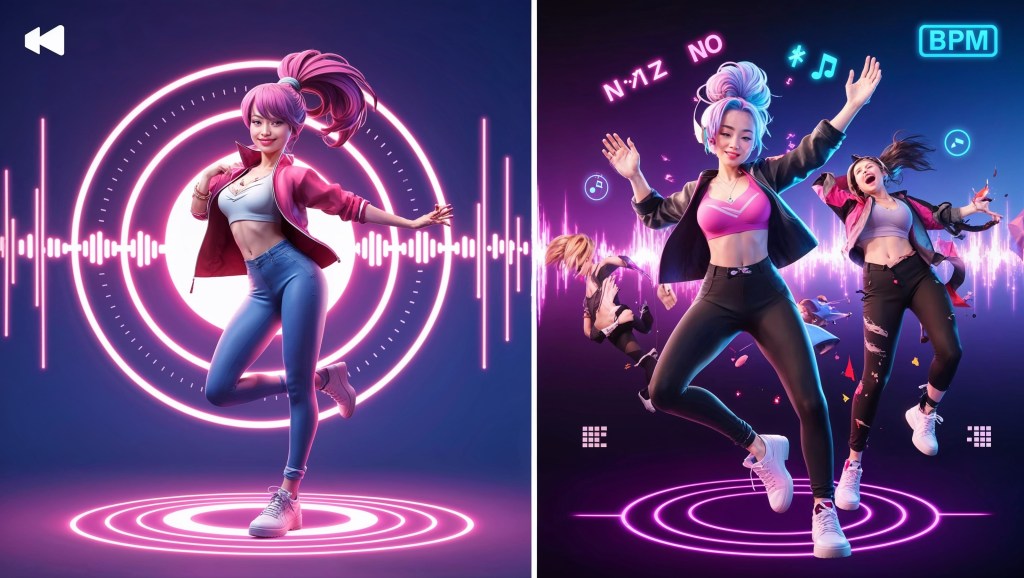
In VTubing, rhythm isn’t just heard, it’s seen. Whether you’re spinning lo-fi vibes on stream, DJing live, or just vibing with your community, there’s something magical about a VTuber avatar that moves in time with the music. That “bop” to the beat? It’s not just cute, it’s immersive. And in 2025, syncing your VTuber avatar to music is easier (and more powerful) than ever before.
If you’ve ever thought, “Wouldn’t it be cool if my VTuber danced while the track drops?”, this guide is for you. Let’s explore how to bring your avatar to life with music, step by step.
Why Beat Syncing Matters in VTubing?
In the world of vtubing, visuals amplify emotions. A beat-synced avatar doesn’t just look fun, it pulls viewers in. Here’s why syncing movement to music is worth mastering:
- Enhanced engagement: Viewers stay longer when visuals are dynamic.
- Better vibe delivery: Chill stream? Let your avatar subtly bob to lo-fi. Hype stream? Full-on dancing.
- Brand identity: A rhythmic VTuber creates a sensory signature. You don’t just sound unique, you look unique.
If you’re streaming on VTube, Twitch, or YouTube, and want to boost presence without saying a word, music reactive motion is your secret weapon.
How to Sync Your VTuber Avatar to Music in Real Time?
Whether you want subtle lo-fi bounces or full-blown dance breaks, here’s how to bring your VTuber avatar to life with the rhythm, step by step.
Step 1: Understand the Types of Music Sync
Before you dive into tools and plugins, it’s important to decide how you want your VTuber avatar to react to music. There are three common styles:
🎵 1. Subtle Beat Bobbing (Lo-fi Vibe)
This is a gentle movement—like head nods or floating bounce—perfect for background music during chatting or studying streams. It works for both Live2D and 3D VTuber avatars.
💃 2. Rhythmic Animations (Dance Moves)
These are pre-set dance loops triggered or timed to music. Great for celebratory moments, dance breaks, or DJ VTuber streams.
⚡ 3. Real-Time Audio-Reactive Motion
Here, your avatar’s parts move in sync with actual beat detection or audio input. This is the most immersive (and complex) method, often used with Unity-based or 3D VTuber setups.
Step 2: Choose Your Software Setup
Depending on whether you use Live2D or 3D, your approach will differ. Let’s break down options for each.
🖼️ Live2D VTuber Avatars
If you’re using Live2D models through VTube Studio, you can absolutely create rhythmic motion. You just need to work around the limitations creatively.
✅ Recommended Tools:
- VTube Studio + Hotkey Animations: Assign specific dance or bounce animations to hotkeys and trigger them during music cues.
- AudioLink workaround (via OBS + VFX): While not native in Live2D, you can simulate beat sync visuals around your avatar using reactive overlays.
- Luppet (Live2D + Leap Motion): Supports hand-tracking which you can use with rhythm, though more manual.
💡 Tip: Use simple looping animations synced manually during stream, or tie them to hotkeys in a Stream Deck for tighter timing.
🧊 3D VTuber Avatars
3D VTubers have more flexibility for beat syncing. If you use software like VCFace, Animaze, or Unity-based rigs, the possibilities are wider.
✅ Recommended Tools:
- Unity + AudioLink Shader: This lets your avatar’s materials or objects pulse in real time to audio. You can animate hair glow, accessories, or entire model shifts.
- Beat Saber-Style Animations: Create timeline-based animations synced to music tracks inside Unity or Blender, then trigger them live.
- Toggles in VRChat or VSeeFace: Use dance emotes that loop based on BPM (beats per minute).
Want to use VRM? Combine VSeeFace + AudioLink + Unity for reactive expression or movement syncing.
💡 Pro tip: Platforms like TheVTubers.com offer high-quality custom 3D VTuber avatars that are optimized for Unity and VSeeFace—making beat syncing and expressive dance setups much smoother for performers.
Step 3: Syncing the Beat – Manual vs Reactive
Let’s break down two different ways VTubers sync beats with movement:
🕹️ Manual Syncing (Beginner Friendly)
This is where you prepare animations (like a dance loop or bounce) and trigger them yourself during certain beat drops or chorus sections.
How to do it:
- Create or download simple looping animations.
- Assign them to hotkeys or a Stream Deck.
- Practice triggering in rhythm with your music playlist.
✅ Great for:
- Just Chatting streamers
- Karaoke VTubers
- Dance reaction segments
🔊 Reactive Syncing (More Advanced)
This involves your avatar responding to live audio input. Think: bouncing when bass hits, glowing during treble spikes, or pulsing when vocals rise.
How to do it:
- Use AudioLink in Unity to map audio frequencies to parts of your avatar.
- Configure OBS audio output to feed into Unity.
- Customize shaders, particle effects, or bones to move based on the audio levels.
✅ Great for:
- DJ VTubers
- Rhythm game streamers
- VTuber concerts / live music collabs
Step 4: Dance Motion Assets for VTubers
You don’t have to animate everything yourself. There’s a growing library of vtuber dance animations and pre-rigged motions you can use:
🔗 Resources:
- Booth.pm – Search for “dance motion” or “リズムモーション”
- Niconi Commons – Free MMD (MikuMikuDance) motions you can convert
- Unity Asset Store – Tons of .fbx dance animations
- Mixamo – Free Adobe tool to auto-rig and animate 3D avatars
Step 5: Consider Music Timing and BPM Matching
Want to go pro with your syncing? Start working with beats per minute (BPM).
🧠 Why BPM matters:
If your music is 120 BPM, each beat hits every 0.5 seconds. You can time movements to these beats for precision.
Tools to help:
- Ableton Live (DJ-level syncing + automation)
- BeatEdit Plugin (Premiere/After Effects) – for video exports
- BPM counters – many online tools or DJ apps like VirtualDJ
Step 6: Add Visual Feedback (Optional but Awesome)
Even if your avatar’s movement is limited, you can enhance the illusion of beat sync using:
- Audio-reactive shaders (Unity/OBS) – glow, distort, or bounce visuals
- Particle systems – confetti bursts on bass hits
- OBS plugins like Move Transition + audio triggers (via Advanced Scene Switcher)
These keep viewers glued, even during idle scenes.
VTubers Who Nail Music Sync
Looking for inspo? These VTubers have aced beat-syncing aesthetics and show how rhythm can elevate your stream’s energy and immersion:
🎧 Tobii – subtle bobbing + reactive lighting for lo-fi streams
🕺 Ironmouse – uses synced dance clips during high-energy music sets
⚡ Kizuna AI’s concert series – top-tier beat-to-motion choreography with full-stage effects
💿 Indie DJ VTubers on Twitch – many use Unity + AudioLink setups live, often paired with custom shaders and lighting for a full performance vibe
Even with modest setups, these creators prove that syncing motion to music can make your VTuber stream feel like a real-time concert.
Syncing with Live Instruments: For VTuber Musicians
If you play live instruments on stream, guitar, keyboard, or digital pads, you can sync your VTuber avatar’s movements to enhance the performance. For Live2D, use hotkeys or MIDI inputs to trigger subtle motions like head nods or hand gestures. In 3D setups, tools like Unity + AudioLink or MIDI Animator let you map musical cues to avatar animations or visual effects.
Imagine your avatar’s hair pulsing with bass or lighting effects syncing to your piano notes, viewers see the music, not just hear it. It adds a live concert feel to your stream and deepens audience connection. For VTuber musicians, this is a powerful way to turn performances into unforgettable visual experiences.
Final Thoughts
Syncing your VTuber avatar with music beats is more than a gimmick, it’s a way to tell a story without words. Whether it’s a nod to a lo-fi chill track or a high energy dance break, rhythmic motion invites viewers to feel with you. And the best part? You don’t need a full production team to do it. With just a bit of setup, your avatar can groove, glow, or gently sway to the music, just like you do.


 VtuberLab
Leave a reply to Pedro Cancel reply