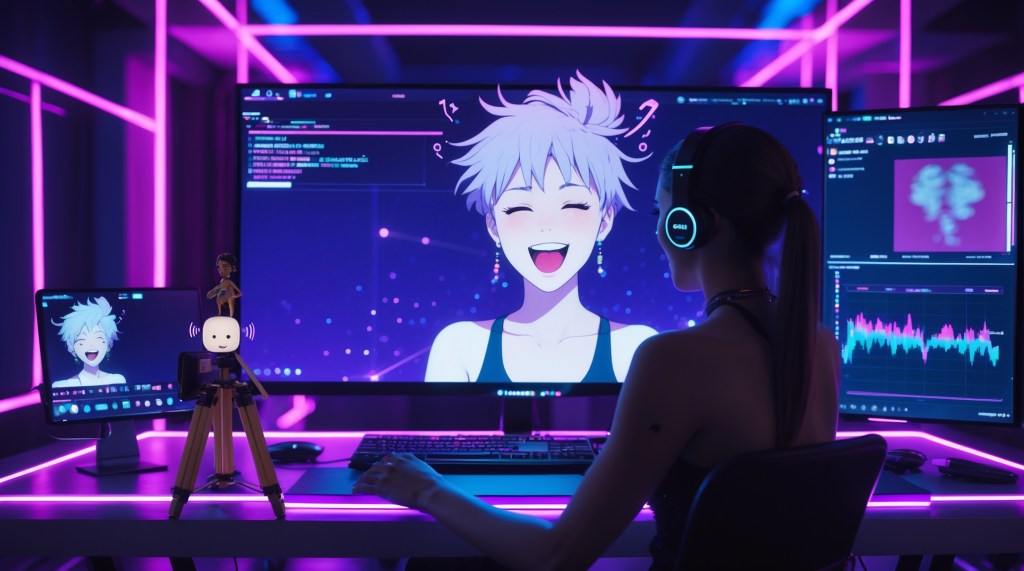
Let’s be real, being a VTuber isn’t just about looking cute or cool on screen. It’s about feeling alive in the most digital way possible. If your VTuber animation is laggy, your mouth doesn’t match your voice, or your avatar blinks like it’s on a five-second delay trust me, people notice. And they bounce.
Whether you’re running a stylish anime VTuber rig or a slick 3D avatar with all the bells and whistles, syncing your audio, expressions, and animations is non-negotiable. It’s what separates a casual setup from a creator that viewers take seriously.
So if you’ve ever wondered how to make your VTuber avatar move and react like you, you’re in the right place. Let’s break it down in a chill but thorough way.
Why Syncing Matters More Than You Think for VTubers?
Let’s talk Gen Z facts: We grew up with smooth animation. From anime binge sessions to watching flawless facecam streamers on Twitch or YouTube, we’ve got high standards for how digital content should feel. If your VTuber model lags, desyncs from your voice, or stares blankly during an emotional monologue, that vibe is gone.
A synced setup lets your VTuber expressions hit at the exact moment you’re screaming in shock, laughing, or going into serious mode. And that connection? It’s what keeps people watching.
The Core Trifecta: Voice, Face, and Motion
When we talk about syncing as a VTuber, we’re lining up three systems:
- Your Voice (Audio)
- Your Facial Expressions (Face Tracking)
- Your Movements (Body or Head Tracking)
These aren’t just technical checkboxes, they’re how your audience feels your energy in real time. When your tone shifts, your expression should match. When you lean in or laugh, your avatar should follow. That alignment is what makes viewers go, “Wait, this feels real.”
And here’s the best part: you don’t need a $2,000 motion rig to pull this off anymore. With today’s VTuber tools, from webcam-based trackers to smart mic setups, you can build a smooth, expressive sync stack on a budget. It’s all about choosing the right tools and setting them up to communicate clearly.
Once these three elements are in harmony, your avatar stops being just a model on screen, it becomes you, animated.
Syncing Isn’t Just Tech, It’s Performance
Before we dive into how to do all the syncing, let’s get one thing straight: this isn’t just a technical setup, it’s part of your performance as a VTuber. Think of your VTuber avatar as your stage persona. Every blink, smirk, or confused tilt adds depth to the experience.
When your audio, facial tracking, and body movement all match up in real time, it stops feeling like a digital puppet and starts feeling like you.
So, how do you pull that off without losing your mind?
Step 1: Nail Your Audio Pipeline
Let’s start with the heart: your voice.
Your audience hears you before they even understand your character’s backstory. If your mic cracks, lags, or doesn’t match your avatar’s mouth, it breaks immersion instantly.
Must-Do Audio Tips:
- Use a real-time audio interface like VB-Audio VoiceMeeter or OBS audio filters to manage your voice output.
- Enable lip sync (visemes) in your software of choice, like VTube Studio, Luppet, or VSeeFace.
- If you’re using a voice changer (a lot of anime VTubers do), make sure it doesn’t introduce delay. Some add up to 200ms lag, that’s a sync killer.
- Try clapping or saying “pa-pa-pa” to test mouth sync. It’s silly but effective.
Step 2: Let Your Face Do the Talking
Your viewers want to see emotion, especially if you’re using an anime-style VTuber avatar. This is where facial tracking comes in, and Gen Z has a huge advantage here. We’re already used to using face filters, AR stickers, TikTok effects, you get the idea.
VTuber Expression Basics:
Your avatar reacts to your expressions through blend shapes—little 3D model morphs that make your character smile, blink, pout, or go.
Tools That Help:
- VTube Studio (for 2D Live2D models): Excellent for iPhone tracking and webcam-based rigs.
- VSeeFace (for 3D avatars): Great for free face and head tracking.
- iFacialMocap or FaceMotion3D: If you’re using an iPhone with depth sensor, you can get buttery-smooth expressions.
If you’re using something from TheVTubers.com, many of their models come with pre-rigged visemes, emotes, and real-time toggles already set up. That means your avatar reacts right out of the box—no digging into Unity or spending hours configuring facial sync.
Step 3: Animate Like a Pro (Even Without Motion Capture Suits)
VTuber animation goes beyond expressions. It’s about how your body or upper torso moves while you talk, gesture, or react.
If you’re using a 3D VTuber model, here’s where the movement magic happens.
Motion Sync Options:
- Webcam Tracking: Limited but good enough for casual VTubing. Your head will tilt and nod with you.
- Leap Motion: For hand tracking—great if you want to wave, facepalm, or do anime-style hand gestures.
- iPhone or Android + Mocap Apps: Sync your full facial and slight body motion using tools like iFacialMocap, Waidayo, or VMT.
Animation Tips for VTubers:
- Idle Animations Matter: Add subtle idle motions to make your character breathe or sway. It stops the dead-eyed mannequin effect.
- Use Twitch/YouTube commands or hotkeys to trigger animations—like flipping a table or turning into a gremlin mid-stream.
Your VTuber animations don’t need to be full Disney-level motion—they just need to feel responsive.
Avoiding the Dreaded Sync Drift
Ever been in a stream where someone’s avatar’s mouth is still moving long after they stopped talking? That’s sync drift, and it’s a vibe-killer.
How to Fix Sync Drift?
- Check FPS across tools: Your model might be running at 60fps, but your camera at 30fps. This causes a frame mismatch.
- Turn off unnecessary background apps. If Chrome has 47 tabs open (👀 we see you), it will slow down tracking tools.
- Calibrate before every stream. Most tools have a “reset” or “center” button, use it!
- If your model moves weirdly, reset your T-pose or neutral position. It realigns everything.
Syncing Audio, Face, and Body in One Loop for VTubing
Now here’s the sweet spot: when all three systems are in harmony. Imagine this:
🎙️ You laugh → 🧠 Your mic captures it in real time → 👄 Your model smiles and opens its mouth → 👁️ Your eyes squint → 🌀 Your head tilts → 💥 Viewers feel your energy.
That’s when people stop scrolling.
Sync Stack (for Beginners to Intermediates)
| Component | Tool | Purpose |
| Audio Input | Mic + VoiceMeeter | Clean voice + real-time output |
| Face Tracking | iPhone + VTube Studio / VSeeFace | Expressions + lip sync |
| Body Motion | Webcam or iPhone | Subtle body or head gestures |
| Animation Triggers | Hotkeys / Stream Deck | Extra reactions on cue |
If you’re on a budget, you can replace the iPhone with a webcam and still get decent results.
Make VTuber Sync Part of Your Brand
Here’s the part most creators miss: syncing isn’t just technical—it’s a branding tool.
How your avatar reacts becomes part of your personality. Think of VTubers with signature face expressions, chaotic toggles, or snappy reactions—those moments go viral, become memes, or turn into fan art. Syncing helps shape your presence, not just your performance.
Want to take it even further? Have you heard about Phygital? They’re working on something wild, a full-body custom avatar you can use for streaming and personalize on the fly. You’ll be able to change clothes, assets, and props, remix your look without needing a new model every time. It’s not launched yet, but if you’re thinking ahead about how to stand out, this is something to keep your eyes on.
In the meantime, start with small moves:
- Set up a “default face” that reflects your tone (cute? smug? cool?).
- Add one or two signature expressions or toggles that you can use in special moments (chat roasting you? Use the deadpan emote).
- Link motion or face reactions to sound effects or alerts for extra flavor.
When syncing supports your persona and vibe, it becomes part of your identity, not just a feature.
Final Thoughts
When your VTuber avatar reacts with you, not just for you, your audience sees the real performer behind the screen. You’re no longer just a voice behind an anime face, you’re a vibe, a mood, a whole digital identity. If you’re aiming for longevity in VTubing (and not just a one-time “ayo I streamed once” moment), mastering sync is the key. Your viewers don’t remember the frame rate; they remember the moment your model cracked a grin exactly when you did. So get in sync. Make your VTuber anime-style avatar truly feel alive. Because when voice, expression, and motion come together, that’s when the magic hits.


 VtuberLab
Leave a comment