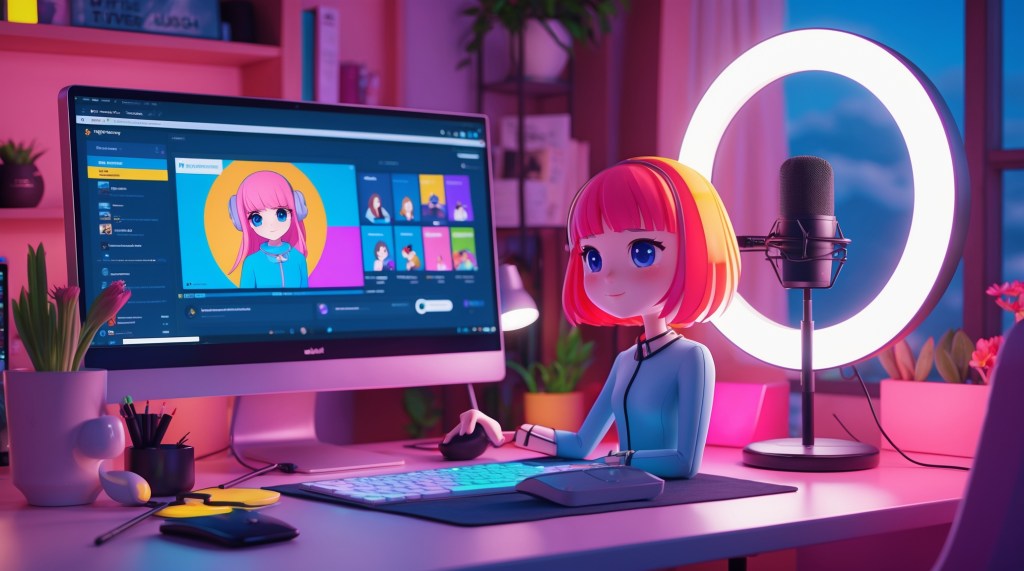
Whether you’re inspired by the vibrant personalities of VTubers online or ready to start your own journey behind a digital avatar, setting up your first VTuber rig can feel overwhelming. With so many software options, hardware recommendations, and artistic choices, it’s easy to get lost in the details. But fear not—we’re here to simplify everything.
In this blog, we’ll walk you through the essential components of a VTuber setup, break down your options for beginner VTuber gear, and provide recommendations to help you build a reliable VTuber starter kit—even on a budget. Whether you’re dreaming of creating content on Twitch, YouTube, or TikTok, this guide will help you confidently understand how to start VTubing.
What Is a VTuber?
A VTuber, short for Virtual YouTuber, is an online content creator who uses a virtual avatar—often animated in 2D or 3D—to represent themselves on screen. These avatars mimic the creator’s real-time voice, movements, and sometimes facial expressions, using motion capture or tracking technology.
VTubers typically stream on platforms like YouTube, Twitch, or TikTok, engaging with fans through gameplay, chatting, singing, or storytelling—all while remaining anonymous behind their digital character. This blend of technology and creativity has made VTubing a rising trend in online entertainment, offering both privacy and a unique way to build a memorable online persona.
Why VTubers Need a Setup?
Behind every vibrant, animated VTuber you see on screen is a well-organized VTuber setup working in the background. A proper setup is essential because it’s what allows your virtual avatar to move, speak, and engage with your audience in real time. From face-tracking cameras to audio input and software that syncs it all, your setup is the engine that powers your digital persona. Without the right tools, your avatar may appear static, glitchy, or unresponsive—making it harder to connect with viewers or deliver high-quality content.
For beginner VTubers, starting with a basic yet functional setup is crucial. It ensures that your streams or videos run smoothly and helps establish a professional presence, even if you’re just starting out. Investing in the right gear not only improves the visual and audio quality but also builds audience trust and keeps them coming back.
Here’s why a VTuber setup matters:
- Clear voice communication via a good microphone
- Accurate facial tracking to animate your avatar
- Stable performance for streaming and recording
- Software integration to sync your avatar, voice, and scenes
- Audience immersion through smooth and expressive content delivery
In short, your setup is what brings your VTuber character to life.
VTuber Starter Kit: What You Really Need?
Let’s break this down into essential categories so you know what’s truly important for a beginner.
1. A Camera: Your Face-Tracking Foundation
The camera is what captures your facial movements and sends them to the software that animates your avatar. Even if you’re camera-shy, this tool stays behind the scenes—no need to worry about being seen.
Best beginner picks:
- Logitech C920 – Great quality for a budget webcam.
- iPhone (X or newer) – If you already own one, apps like iFacialMocap or VTube Studio iOS tracking provide advanced facial tracking.
Pro Tip: Many VTubers start with a webcam and later upgrade to iPhone-based tracking for smoother, more accurate motion.
2. A Microphone: Your Voice Is Your Brand
Since your audience can’t see your real face, your voice becomes your personality. A good microphone helps you sound professional, reduces background noise, and enhances viewer trust.
Budget-friendly picks:
- Blue Yeti Nano – Affordable and reliable.
- Fifine K669B – An excellent starter USB mic.
- Maono AU-PM421 – Great quality for the price, especially with a pop filter.
3. Your Computer: Powering the VTubing Experience
VTubing software can be resource-intensive. A mid-range computer or laptop will do for most setups, but the better your specs, the smoother your avatar’s movements will be.
Minimum recommended specs:
- CPU: Intel i5 / Ryzen 5 or better
- RAM: 8GB minimum (16GB preferred)
- GPU: GTX 1050 Ti or better for 3D models
Tip: Streaming and VTubing together can tax your PC. If you’re using heavy software, consider separating workloads (streaming from one device, tracking from another).
4. Your VTuber Avatar: 2D, 3D, or PNG?
Your avatar is your identity. You can either commission one, make your own, or use a free one to get started.
Avatar types for beginners:
PNGTuber (Static Image): If you’re just starting out and want the easiest and most affordable way to dip into VTubing, a PNGTuber setup is perfect. It uses simple static images that react to your voice, making it great for podcasters or casual streamers. Popular tools for this style include Discord Reactive Images, VeadoTuber, or even OBS with basic plugins.
Live2D VTuber (2D Animated): Live2D avatars bring your character to life with smooth 2D animations and expressive face tracking. This style is especially loved by anime-inspired VTubers for its rich emotional range and fluid movements. To get started, you’ll need Live2D Cubism (for creating the avatar) and VTube Studio (for streaming and tracking).
3D VTuber Avatar: For those who want full-body motion, dynamic gestures, and a more immersive feel, 3D VTubing is the way to go. It’s ideal for gaming, dancing, or high-energy content. Tools like VRoid Studio (which is free), VSeeFace, and Luppet help you create and control a 3D avatar that can mirror your real-time movements.
5. VTubing Software: Bringing It All Together
Once you have your gear and avatar, you’ll need software to animate and sync everything.
Best VTuber software for beginners:
When you’re just getting started with VTubing, choosing the right software can make your setup process smoother and more enjoyable. VTube Studio is an excellent choice for 2D VTubers, especially those using Live2D avatars. It offers intuitive controls, smooth facial tracking, and seamless integration with iOS tracking apps, allowing your avatar to mirror your expressions in real time.
For creators who prefer 3D avatars, VSeeFace stands out. It supports VRM files and delivers impressive tracking performance, particularly when combined with tools like Leap Motion or iPhone facial capture. Additionally, if you’re looking for a lightweight and beginner-friendly option, PRPRLive is perfect for casual 2D VTubing. It’s quick to set up, fun to use, and works with Live2D models, making it ideal for newcomers.
Moreover, no VTuber setup is complete without OBS Studio. This powerful, free software lets you control your stream scenes, add overlays, manage audio, and broadcast to platforms like Twitch and YouTube. In short, combining these tools helps you build a functional and effective VTuber starter kit, allowing you to focus on engaging your audience and growing your channel from day one.
6. Optional But Helpful Accessories
As you grow, you may want to enhance your setup:
- Ring light or soft lighting – Proper lighting improves camera visibility, making it easier for your software to track facial expressions accurately, which results in smoother, more expressive avatar animations.
- Green screen – Using a green screen allows for clean overlays and seamless virtual backgrounds, helping your VTuber avatar blend naturally into any digital environment without distracting visual clutter.
- Stream Deck – A Stream Deck gives you quick, customizable control over scene changes, sound effects, emotes, and more—making your livestreams smoother, more interactive, and professional-looking with a single tap.
- Tracking Enhancements – Devices like Leap Motion enable hand tracking, while apps like iFacialMocap offer high-quality face tracking, bringing lifelike expressions and movement to your VTuber avatar in real time.
How to Start VTubing in 5 Steps?
Let’s turn theory into action! If you’re excited to become a VTuber but aren’t sure where to begin, this basic five-step roadmap will help you set up and launch your VTuber journey with confidence.
Step 1: Choose Your Avatar Style
Start by deciding what kind of VTuber you want to be. You can begin as a PNGTuber (using static images), a 2D VTuber with a Live2D avatar, or a 3D VTuber using VRoid Studio or similar tools. For beginners, Live2D or VRoid avatars strike the right balance between affordability and animation. Your choice will influence what software and gear you’ll need.
Step 2: Gather Your Gear
You don’t need high-end equipment to get started, but you do need the basics. Invest in a good webcam (for facial tracking) and a clear microphone (so your voice comes through well). If you’re on a budget, there are plenty of affordable options to build your beginner VTuber gear kit.
Step 3: Install Your Software
Download and install your core tools. OBS Studio is essential for streaming. Use VTube Studio if you have a 2D avatar, or VSeeFace for 3D. Take time to explore the interface, set up your avatar, and arrange your scenes before going live.
Step 4: Set Up Your Streaming Platform
Choose your platform, YouTube, Twitch, or Kick—and create an account. Set up your channel branding with a catchy name, profile image, and banner. Then, link your streaming software using stream keys or direct integration.
Step 5: Go Live or Record Your First Video
Don’t wait for perfection. Start with a test stream or short video to get used to your setup. Mistakes are part of the process, each stream will teach you something new and help you improve!
Beginner VTuber Gear Checklist (2025 Edition)
Getting started with VTubing doesn’t mean you need to spend a fortune. Here’s a streamlined VTuber starter kit checklist to help you gather everything you need in 2025:
✅ Webcam – For accurate facial tracking, go with the reliable Logitech C920, or use an iPhone if you’re leveraging iOS facial capture apps.
✅ Microphone – Clear audio is key to viewer engagement. The Blue Yeti Nano offers professional quality, while the Fifine K669B is a great budget-friendly alternative.
✅ Computer – Aim for a system with at least 8GB RAM and a GTX 1050 Ti or higher GPU. This ensures smooth avatar rendering and streaming performance.
✅ Software – Download OBS Studio for streaming control. Use VTube Studio if you have a 2D avatar or VSeeFace for 3D. Both are beginner-friendly and widely used.
✅ Free Avatar – Don’t have a custom avatar yet? Start with VRoid Studio or explore community-made models on Booth..
✅ Lighting (Optional) – A simple ring light can significantly improve facial tracking accuracy.
✅ Streaming Account – Create your profile on Twitch or YouTube, set up branding, and link your streaming software.
With this checklist, you’re ready to launch your VTubing journey!
Final Thoughts
You don’t need a Hollywood studio to start VTubing. Some of the biggest VTubers today started with modest gear, free avatars, and a strong sense of humor or creativity. Your first VTuber setup doesn’t have to be perfect—it just has to work for you. Focus on your content, connect with your audience, and upgrade as you grow. Your VTuber starter kit will evolve with you, and that’s part of the fun! Whether you’re building a whimsical anime avatar, a faceless gremlin PNGtuber, or a full-fledged 3D idol, your voice and energy are what truly bring your virtual self to life.


 VtuberLab
Leave a reply to Mist Cancel reply