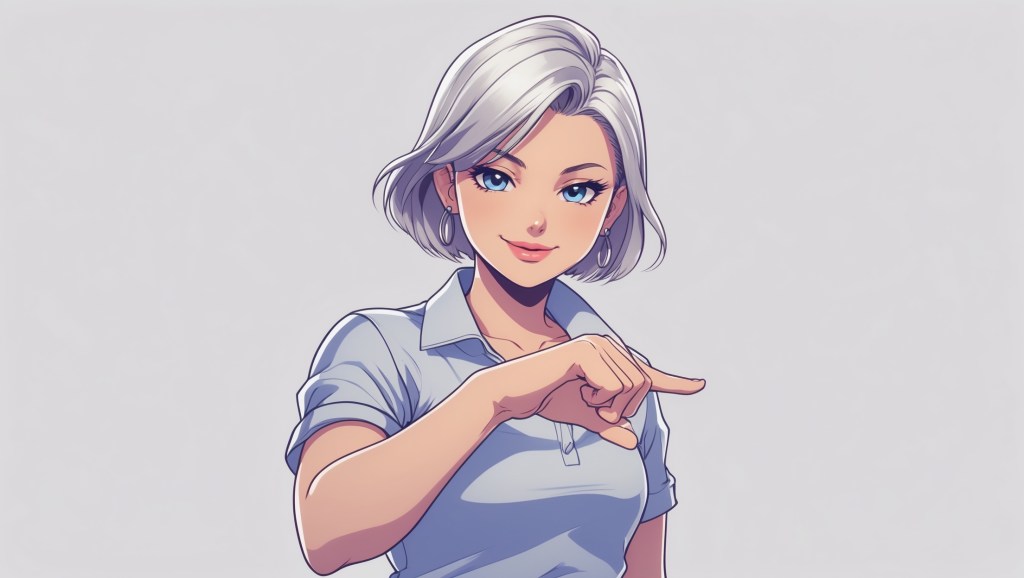
Stepping into the VTubing world is exciting, but let’s be honest, standing out is harder than ever. Thousands of VTubers stream daily, and while having a cool VTuber avatar is important, the real magic lies in how professional your stream looks and feels. Viewers instantly notice whether your setup is polished or clunky, and that first impression often determines if they stick around or click away.
If you’ve been wondering how to level up your VTuber stream and boost audience retention, this guide is for you. I’ll walk you through 7 practical VTuber streaming tips, from setting up your visuals to refining your brand, that will help transform your channel from “just another stream” into something memorable and professional.
What is A VTuber Stream?
A VTuber stream is a livestream where the creator appears on screen not as themselves, but through a VTuber avatar, a 2D or 3D digital character that moves and reacts in real time using tracking software.
Instead of showing their real face, VTubers use VTuber models (anime-style or stylized avatars, sometimes realistic 3D characters) to express themselves. These avatars are controlled through:
- Facial tracking (via webcam or iPhone face capture) for expressions
- Body/hand tracking (with devices like Leap Motion or VR setups) for gestures
- Streaming software (like OBS) to broadcast the avatar along with overlays, gameplay, or chat
A VTuber stream can look like a typical Twitch or YouTube gaming or chatting stream, gameplay in the background, chat on the side, but with a live animated avatar as the on-screen host instead of a webcam feed of the person.
👉 In short:
A VTuber stream = Livestream + VTuber avatar + real-time interaction with viewers.
Ready to Level Up? Here’s What Sets Pros Apart
Most VTubers cover the basics, but the real difference between a casual streamer and a pro lies in the details. These 7 ways aren’t just quick tips—they’re the practices that separate streams viewers forget from the ones they keep coming back to. Miss them, and you risk blending into the crowd. Nail them, and you’ll instantly look more polished than most VTubers out there.
1. Upgrade Your Stream Setup for Stability and Quality
Before diving into overlays or fancy effects, your stream setup is the foundation. Nothing makes a VTuber stream look amateur faster than constant lag, poor audio, or pixelated visuals. Viewers might forgive a missed joke, but they won’t tolerate buffering every five seconds.
- Stable Internet: Aim for at least 6 Mbps upload speed for 720p streaming, and 10 Mbps or higher if you want crisp 1080p. Run speed tests regularly.
- Hardware Check: A mid-range PC with a solid GPU will handle both VTuber software and streaming tools. If you’re using a 3D VTuber avatar, make sure your GPU isn’t maxed out while animating.
- Lighting & Webcam (for tracking): Even if you’re using a 3D character or Live2D model, good lighting improves facial tracking accuracy, which directly impacts how smooth your VTuber avatar looks.
When your stream runs smoothly, people feel like they’re watching a pro—even if you’re streaming from your bedroom.
2. Polish Your VTuber Avatar for a Clean Look
Your VTuber avatar is your brand. Whether you’re using a 2D Live2D rig or a 3D VTuber avatar, presentation matters. A well-optimized model looks smoother, reacts more naturally, and makes your stream more engaging.
Here are quick VTuber streaming tips for avatar polish:
- Facial Tracking Calibration: Spend time fine-tuning your tracking settings. Small adjustments in VTube Studio or Animaze can make expressions more natural.
- Model Optimization: If you’re using a 3D character, reduce polygon count where possible. This minimizes lag while keeping your avatar detailed.
- Consistent Styling: Your avatar model, overlays, and alerts should share a cohesive theme. If your avatar has a futuristic cyberpunk vibe, don’t pair it with pastel cloud overlays, it feels disjointed.
Think of your VTuber model as your “on-camera self.” When it’s expressive and polished, viewers naturally pay more attention.
3. Create a Professional Overlay and Scene Setup
Ever walked into a stream where the chat covers half the gameplay, alerts overlap the VTuber avatar, and the layout looks like a collage of random PNGs? That’s the opposite of professional.
Your overlay and scene setup is like stage design, it frames your performance.
- Minimal but Branded: Use overlays that highlight your VTuber avatar, chat, and content without clutter.
- Scene Variety: Have at least three scenes ready: Starting Soon, Main Stream, and BRB/Ending. This makes transitions smoother and shows you’ve put thought into production.
- Readability: Keep chat boxes, follower alerts, and panels clean. Viewers should never struggle to read text on your stream.
Pro tip: Many VTubers underestimate how much “visual breathing space” improves audience retention. A tidy, consistent look signals professionalism instantly.
4. Focus on Audio Quality (Viewers Forgive Video Before Bad Sound)
Here’s a secret most new VTubers learn too late: bad audio kills streams faster than bad visuals.
Imagine a viewer tuning in and hearing muffled speech, background static, or uneven volume. Even if your 3D VTuber avatar looks stunning, they’ll click away.
- Invest in a Mic: You don’t need a $400 studio mic. A USB condenser mic like the Blue Yeti or Fifine K669 can do wonders.
- Use Filters: In OBS, add noise suppression, noise gate, and compressor filters. This reduces static and keeps your voice even.
- Test with Friends: Ask them if your voice is too quiet, loud, or distorted. Feedback helps you fine-tune faster.
Polished sound makes viewers feel like they’re listening to a podcast-level production, and that’s professional.
5. Plan Stream Flow to Keep Audience Retention High
Professionalism isn’t just visuals—it’s how your stream feels. Audience retention is key for growth, and that comes from planned flow.
- Opening Hook: Don’t spend the first 10 minutes adjusting settings. Start with energy.
- Content Blocks: Divide your stream into segments (e.g., chat intro → gameplay/story → Q&A → wrap-up). This creates natural pacing.
- Engage Actively: Call out chat messages, ask questions, and keep energy consistent. A professional VTuber doesn’t let dead silence linger too long.
Think of your stream like a live show. When viewers know you’re in control, they’re more likely to stay.
6. Build a Consistent Brand with Visual Identity
Professional VTubers aren’t just avatars—they’re brands. Your avatar model, channel art, alerts, and even Twitter banner should align with your theme.
- Color Palette: Choose 2–3 brand colors and use them across overlays, logos, and alerts.
- Logo & Name Design: Even a simple logo gives your VTuber stream a polished edge.
- Consistency Across Platforms: Your Twitch/YouTube, Discord, and socials should feel connected.
A strong visual identity makes viewers remember you. And in VTubing, recognition is everything.
7. Leverage Stream Tools to Automate Like a Pro
Professional doesn’t always mean manual hard work—it means smart automation.
- Stream Deck or Alternatives: Assign buttons for scene transitions, sound effects, or chat messages. This keeps streams smooth without fumbling.
- Chat Bots: Use bots for moderation, alerts, and engagement. They prevent spam and keep things lively.
- Custom Alerts & Transitions: Instead of default pop-ups, personalize them with your avatar model’s style. This gives your VTuber stream a unique stamp.
Automation isn’t about laziness; it’s about freeing your brain to focus on connecting with your audience.
Final Thoughts
Here’s the truth: making your VTuber stream look more professional doesn’t always require expensive gear or a top-tier 3D VTuber avatar. It’s about attention to detail, consistency, and care for your viewers’ experience. Every time someone clicks on your stream, they’re silently asking: “Is this worth my time?” A stable setup, polished avatar, clear audio, clean overlays, engaging flow, strong brand, and smart tools all shout “Yes.” Professionalism isn’t a one-time achievement; it’s an ongoing process. Keep improving, stream after stream, and soon you’ll notice viewers sticking around longer, chatting more, and treating your stream as part of their daily entertainment. After all, VTubing is more than just playing a character; it’s about building a stage where your community feels at home. And nothing says “welcome” like a stream that looks and feels professional.


 VtuberLab
Leave a comment