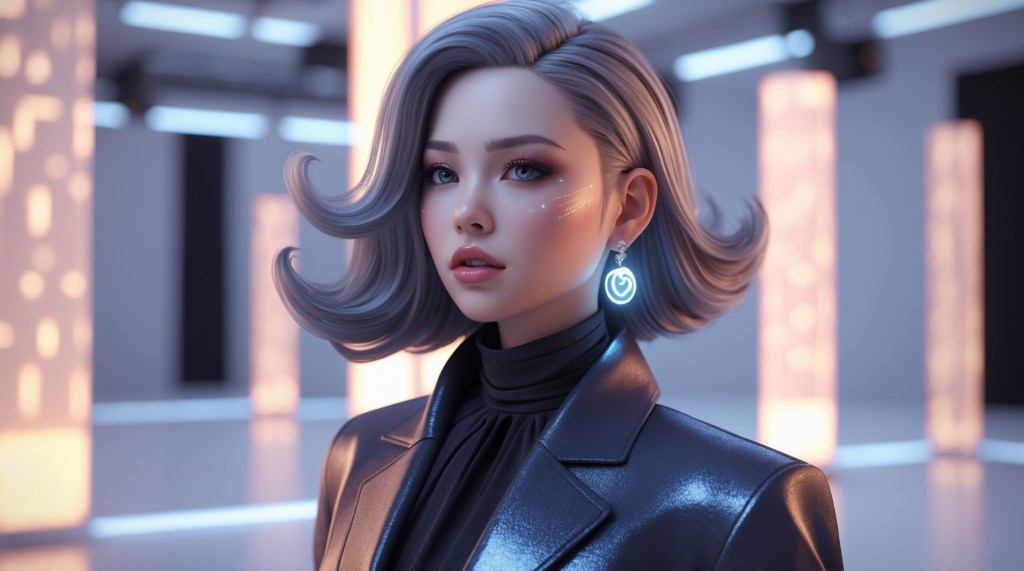
Whether you’re streaming to five fans or five thousand, your VTuber avatar is more than just your digital face, it’s your brand, your presence, and often your first impression. With the VTubing scene evolving rapidly thanks to tools like VRoid Studio and VTube Studio, and an ever-growing demand for originality, mastering the art of VTuber avatar customization is what separates casual creators from unforgettable icons.
Let’s face it, most viewers will form an opinion about your stream within the first few seconds. One of the biggest differentiators? Your avatar. Yet, many VTubers only scratch the surface when it comes to customization. If you want to stand out in a saturated digital world, you’ll need more than just a cute model and a decent mic.
Pro-Level Avatar Customization Tricks
Unlock the secrets top VTubers use to stand out with next-level avatar design. These 5 expert tricks go beyond basics; miss them, and you’ll blend in with the crowd.
1. Layer Your Look: Advanced Texture and Hair Hacks in VRoid Studio
When people think about customizing a 3D avatar in VRoid Studio, they often stick with surface-level tweaks—maybe a new shirt pattern or a funky hairstyle. But if you’re aiming for a pro-level VTuber avatar, your goal should be a cohesive aesthetic narrative. This means digging deeper into textures, shaders, and layer blending.
💡 Pro Tip: Use Transparent Overlays for Fabric Effects
Instead of applying a solid texture to a shirt or jacket, create layered fabric effects. You can design a subtle mesh or satin pattern on a transparent PNG and overlay it over your base texture. When rendered with a shader that mimics real-world light bounce, the results can be stunningly realistic—even with stylized models.
💡 Advanced Hair Tweaks
Don’t just recolor pre-made hair presets. Customize the hair outlines, texture map, and shine gradient. For example:
- Add subtle two-tone highlights for depth.
- Use UV editing to add more personality to your bangs or undercuts.
- Layer smaller hair groups for a more dynamic, wind-reactive look.
This level of detail doesn’t just make your model look better—it feels more alive on screen.
2. Master the “Signature Accessory” Formula
Think of iconic VTubers like Ironmouse or Shylily, what comes to mind? Not just their voice or style, but that one visual detail that makes them instantly recognizable.
This is what I call the Signature Accessory Formula.
🎯 Why it Works
A well-chosen accessory anchors your character. Whether it’s a floating crown, blinking shoulder drone, neon tail, or ever-present bubble tea, it gives your model a consistent visual cue. Even a silhouette of your avatar should hint at your identity.
🔧 Pro-Level Customization Tips:
- Use bone attachment points in Unity or VSeeFace to anchor animated objects to your model.
- Combine your accessory with subtle particle effects (glows, sparkles, dust trails).
- In VTube Studio, script the accessory to react to expressions or audio, for example, a hovering orb that pulses with your voice or emotion.
Signature accessories aren’t just aesthetic, they tell a story. Yours.
3. Build Expression Sets for Emotional Range
A static smile is fine… until you’re reacting to a horror game, taking donations, or breaking into laughter mid-stream. A professional VTuber avatar should reflect you in motion—not just physically, but emotionally.
Most VTubers use the basic blendshapes or expression keys (happy, sad, angry). But emotional realism lies in micro-expressions and nuanced transitions.
🧠 Beyond the Basics:
- Use VTube Studio’s Hotkey System to trigger custom expressions like “side-eye,” “crying-while-smiling,” or “I just realized I left the stove on.”
- Combine facial animations with dynamic props. For example, when shocked, your eyes widen and a cartoon sweat drop pops above your head.
- Animate brows separately from eyes for better sarcasm, concern, or smugness.
Set up expression combos for streaming milestones: donation reactions, raid greetings, or fan-art shoutouts. Viewers eat it up.
4. Customize for Camera Angles and Lighting—Not Just Idle Poses
What looks good in VRoid’s editor may not hold up under stream lighting or motion tracking. This is where many beginner VTubers fall short: they design for still shots, not camera-aware performance.
Your avatar’s face tracking, lighting, and movement cues must be optimized for live environments. This trick is rarely discussed—but it’s a game-changer.
🔍 Here’s How to Do It:
- In VTube Studio, experiment with 2–3 lighting presets that match your stream overlay. Adjust the ambient light color to enhance your avatar’s skin tone or outfit.
- Use multi-camera angles if you use OBS or Luppet. Switch between “close-up,” “reaction cam,” or “sitting full-body” to keep your model engaging.
- Tweak eye tracking thresholds. Sometimes, toning down the speed of your model’s head tilt or blink rate gives a more cinematic vibe.
Also: test your avatar under different backdrops. A white outfit that looks great in the editor might wash out completely under neon overlays.
5. Incorporate Lore Into Your Design Choices
Many VTubers write lore or character backstories—but only a few design visually consistent avatars based on that lore. A professional VTuber doesn’t just have a story, they embody it in every pixel.
📖 Turn Storytelling into Styling
Let’s say your VTuber persona is a time-traveling hacker. Cool, but where’s that reflected? Try these design ideas:
- Digital tattoos that glow when you get excited.
- Cyberpunk pupils that pulse with emotion.
- Accessories like pocket watches or floating circuit shards.
Or maybe your lore involves you being an ex-demon queen now trying to bake cookies and stream, blend the infernal with the wholesome. Flame-patterned oven mitts. A devil tail tied in a bow. Contrasts like these make designs memorable.
🎨 Integrate with Environment
If your character is an arctic fox VTuber, your background shouldn’t just be a neon grid. Instead:
- Use snow particle effects in your scene.
- Add a fog filter for a tundra effect.
- Include environmental soundscapes for deeper immersion.
When your lore and visual design align, your avatar transforms from “just another VTuber” to an interactive character experience.
Bonus Trick: Use Audio-Reactive Elements for Impact
While this isn’t strictly “visual” customization, it enhances immersion like nothing else. With tools like VTube Studio and OBS plugins, you can animate parts of your avatar or background based on audio input.
🎤 Examples:
- A glowing necklace that pulses with your voice.
- Wings that spread slightly when you raise your pitch.
- Background lights that flash to the beat of your BGM.
This trick adds rhythm and presence, especially during music streams or high-energy intros. Just don’t overdo it, keep the motion synced and subtle.
Final Checklist for Pro-Level VTuber Avatar Customization
When you’re ready to move beyond beginner status and create a VTuber avatar that truly stands out, this is the checklist to guide you. These six core elements define high-level VTuber design, not just in looks, but in impact and expression.
✅ Layered and Detailed Hair, Textures, and Outfit UVs
Don’t stop at presets. Pro-level customization involves multi-layered hair groups with gradient highlights, detailed fabric textures with depth and material variation, and properly aligned UV maps for crisp, professional finishes. These subtle touches elevate your model from “template-based” to “artistically tailored.”
✅ One or More Memorable Signature Accessories
Signature accessories make your avatar instantly recognizable. Whether it’s a glowing earring, a floating companion, or a magical object, the key is uniqueness. Animate them, sync them to expressions, or tie them into your lore, let them tell your story before you even speak.
✅ Emotion-Triggered Expression Sets Beyond Basics
Basic smiles and frowns won’t cut it at the top. Build out custom expression sets like “shy side glance,” “surprised but laughing,” or “confused squint.” Tie expressions to specific events, like donations or raids, to make your avatar feel emotionally alive and deeply reactive.
✅ Camera-Aware Lighting, Angles, and Tracking Tuning
Your avatar should perform for the camera. Adjust lighting in VTube Studio to flatter your model, tweak tracking settings for smoother expressions, and use multiple OBS camera angles to create cinematic variety. Design for your on-stream environment, not just the editor.
✅ Lore-Integrated Visuals and Environment
The strongest avatars reflect their character’s backstory in every detail—from clothing and props to background and lighting. Your environment should match your lore: a magical scholar should stream from a spell-filled library, not a neon cityscape. When visuals match the story, immersion deepens.
✅ Optional: Voice-Reactive Visual Cues
Take things a step further by adding visual elements that respond to your voice, glowing ornaments, pulsing wings, or sound-synced lighting. These subtle touches bring rhythm and dynamism to your stream, especially for singers or high-energy personalities.
Closing Thoughts
Customization isn’t about cramming in every possible feature, it’s about crafting an avatar that tells a consistent, compelling story. The most iconic VTubers don’t have the most “complex” designs, they have designs that fit, that feel intentional, that carry a vibe.
Start with your personality, your content type, and your lore. Then shape your avatar to reflect those things across textures, expressions, accessories, and lighting. Because at the end of the day, VTubing isn’t just virtual streaming. It’s visual storytelling in real-time.


 VtuberLab
Leave a comment