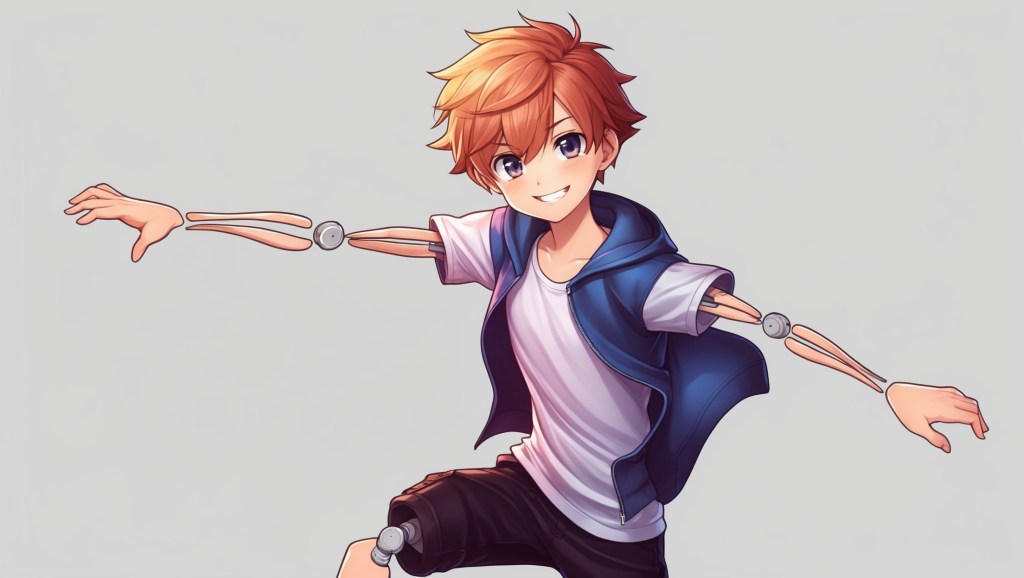
VTubing has always been about more than just an avatar on a screen. It’s about building a connection with your audience, and the secret sauce for that connection is expressiveness. A flat, emotionless face won’t keep viewers hooked for long, but when your VTuber avatar blushes at compliments, sweats under pressure, or even tears up during a heartfelt story, that’s when magic happens.
This is where real-time expressions step in. By using VTuber real-time emotes, emotion toggles, and expression animation, creators can make their avatars feel alive—reacting naturally in sync with the tone of the stream. In this guide, we’ll dive deep into how these features work, why they matter, and how you can use them to take your VTuber streams from “nice” to unforgettable.
Why Real-Time Expressions Matter in VTubing?
Think of the last time you watched your favorite VTuber. Chances are, what made them memorable wasn’t just their avatar design—it was the way that avatar reacted. Maybe they pulled off a smug grin after winning a game, or their model flashed a goofy shocked face when chat trolled them.
These small touches transform your VTuber model from a static character into a living personality. Viewers start to associate your unique reactions with your streaming identity, making you more relatable and engaging.
Here’s why avatar reactions are essential:
- Stronger audience engagement – Emotes make viewers feel like you’re responding directly to them.
- Enhanced storytelling – Expression animations help narrate emotions without words.
- Unique branding – Custom reactions can become part of your signature style.
- Immersive entertainment – Audiences feel like they’re watching a real performer, not just an animated puppet.
In short, toggling between different emotions isn’t just fun—it’s part of your VTuber branding strategy.
The Basics: How VTuber Real-Time Emotes Work
At their core, VTuber real-time emotes are preset facial animations that can be triggered manually (via hotkeys, stream decks, or touch panels) or automatically (based on tracking and triggers).
For example:
- Pressing a key might trigger a blush animation.
- A hotkey could make your avatar sweat nervously.
- A voice pitch or sound cue could trigger crying eyes or cartoon-style tears.
This system is often called emotion toggle, because you’re toggling specific expressions on and off during a stream.
The magic lies in blending these toggles with your natural movements. Instead of replacing your default expression, they layer on top of your usual tracking, giving you full control over how your VTuber avatar reacts in the moment.
Expression Animation: Tools of the Trade
So, how do you actually make your avatar blush, sweat, or cry in real-time? It depends on the software you’re using to run your VTuber model. Let’s look at some popular options:
1. VTube Studio (2D Avatars)
- Offers hotkey-based emotes for toggling expressions like heart eyes, tears, blushes, or sweat drops.
- Supports Live2D expression animation, allowing you to layer reactions seamlessly.
- You can assign emotes to a Stream Deck or keyboard shortcuts for quick triggering.
2. Animaze (2D & 3D Avatars)
- Comes with a wide variety of prebuilt avatar reactions.
- Great for quick setup with built-in emotion packs.
- You can customize or import your own emotes.
3. Luppet & PrprLive (3D Avatars)
- Allow complex expression toggles tied to face tracking, controller input, or hotkeys.
- Perfect for 3D performers who want full-body expressiveness.
4. Custom Plugins & Add-ons
Some VTubers even commission custom scripts that add unique animations, like anime-style sweat beads or dramatic sparkles. These expression animations can be tailored to match your branding, giving your avatar signature flair.
Blush, Sweat, Cry: The Classic Expression Set
When it comes to emotional toggles, some expressions are almost universal in VTubing. Here’s a breakdown of the three most iconic ones and why they work:
Emotion – Blush
- Use case: When chat compliments you, you get flustered in-game, or during romantic storytime.
- Why it works: A blush instantly makes your avatar more relatable—it’s a soft, human reaction that audiences adore.
- Extra tip: Combine with a shy smile or embarrassed head tilt for maximum impact.
Emotion – Sweat
- Use case: When the game gets intense, when you make a funny mistake, or when chat puts you on the spot.
- Why it works: Sweat drops are an anime classic—perfect for comedy or lighthearted tension.
- Extra tip: Timing is everything—trigger this at just the right awkward moment and watch your chat explode in laughter.
Emotion – Cry
- Use case: Emotional stories, frustrating losses, or over-the-top “fake crying” moments.
- Why it works: Crying humanizes your VTuber avatar. Whether it’s silly cartoon tears or a subtle watery-eyed look, audiences feel the emotion instantly.
- Extra tip: Pair with a soft voice tone for serious moments or exaggerated wailing for comedic effect.
These three form the “holy trinity” of avatar reactions, but they’re only the beginning. Many VTubers also add angry pouts, sparkly eyes, goofy faces, or custom meme-based emotes.
Setting Up Emotion Toggles: Step-by-Step
Here’s a simple workflow most VTubers use to get real-time expressions running smoothly:
- Prepare the emotes in your model
- If you’re using a Live2D VTuber model, make sure your rigger adds expression parameters (e.g., blush layer, sweat overlay, teardrop animation).
- For 3D avatars, ensure blendshapes or custom meshes are rigged for expressions.
- Assign hotkeys or stream deck buttons
- Map each emotion toggle to a convenient shortcut.
- Organize your setup so you don’t fumble during live reactions.
- Test timing and layering
- Practice combining emotes with your regular expressions (e.g., blush + smile).
- Check that toggles don’t clash visually.
- Practice on stream
- The more you use them, the more natural your avatar reactions will feel.
- Watch your own VODs to refine timing.
How Expression Animation Boosts Audience Engagement?
When you introduce real-time emotes, viewers start engaging with your stream differently. They might spam chat with “blush button!!” or challenge you to hit the sweat toggle in funny scenarios.
This not only makes streams interactive but also creates shared moments that turn into inside jokes. For example:
- A VTuber who cries exaggeratedly every time they lose might build a reputation as “the dramatic one.”
- A streamer who uses a blush emote whenever chat teases them might turn it into a recurring gag.
Over time, your expression animations become part of your channel’s culture, just like custom chat emotes or catchphrases.
Pro Tips for Mastering Avatar Reactions
Want to go beyond the basics? Here are some advanced tricks to make your VTuber real-time emotes stand out:
- Use moderation – Don’t spam toggles every few seconds. Emotes hit harder when used sparingly.
- Blend with voice acting – Match expressions with subtle shifts in your VTuber voice to sell the emotion.
- Create layered combos – Stack blush + sparkle eyes for “love-struck mode” or sweat + nervous smile for “oh no” moments.
- Experiment with meme emotes – Think beyond anime tropes—custom goofy reactions can make you unique.
- Build audience prompts – Encourage chat to “call the emote” by typing commands or using channel points.
Expression Animation as Part of Your VTuber Branding
Your VTuber avatar is more than a character, it’s your brand. And just like a logo or color palette, your avatar reactions help define that brand’s personality.
Ask yourself:
- Is my character cute and bashful? Then blush toggles are essential.
- Am I more chaotic and comedic? Sweat and goofy cry toggles will fit better.
- Do I want to project elegance or mystery? Subtle eye and mouth expressions might be more powerful than cartoonish ones.
By choosing your emotion toggles intentionally, you reinforce your avatar’s identity and make your streams more memorable.
Future of Real-Time Expressions in VTubing
As VTubing tech evolves, expression animation is becoming even more dynamic. AI-driven face tracking is improving, allowing for automatic reactions based on micro-expressions. Imagine your avatar automatically blushing when you actually smile shyly, or tearing up when your voice cracks with emotion.
Some developers are even working on interactive audience triggers, where chat can activate emotes directly through donations or channel points. This blurs the line between performance and interactivity, making viewers feel like they’re controlling part of the show. In other words, the future of VTuber real-time emotes is about even deeper immersion and audience participation.
Final Thoughts
Blushing, sweating, crying, it might sound like small details, but in VTubing, these real-time expressions are what breathe life into your digital persona. With the right emotion toggles and smart use of expression animation, your VTuber avatar becomes more than pixels on a screen. It becomes a performer, a storyteller, and a personality your viewers can’t forget.
So whether you’re just starting out or looking to refine your avatar reactions, remember: the little details matter. Mastering these emotes might just be the difference between a good stream and an unforgettable one.


 VtuberLab
Leave a comment